Showing posts with label pixel. Show all posts

Friday, August 29

How to Pixelate a Photo (without using Photoshop)


A couple of weeks ago I wrote about my Big French Knot project  which basically is a pixelated Rose stitched in French Knots. Today I will show you how I pixelate pictures in a photo editing program called GIMP.* GIMP is free software and comparable to (but not the same as) Photoshop. If you can't afford Photoshop, GIMP is a good alternative.

First download GIMP

Open the photo you want to pixelate (or pixelize as GIMP calls it) by clicking FILE > OPEN. Some pictures 'translate' better to a pixelated image than others. If there is little variation in lighter and darker shades in the original photo it might just end up as a bunch of coloured squares in the pixelated version. Also: the less pixels you choose (we'll come to that in the next step), the harder it'll be to recognise whatever is on your photo.


Under FILTERS choose BLUR > PIXELIZE


You can change the size of the pixels by using the little up-and-down arrows. The width and height are linked automatically so when you adjust the width, the height will be adjusted simultaneously. The higher the number, the larger the pixels will become.

When you're done pixelating, you can export the image (in a PNG format for example) and save it for future reference. Go to FILE > EXPORT.  I always use the standard settings in the export process.


Et voila: you've created a pixelated picture! Although obviously not as sophisticated as dedicated quilt or other design programs (such a cross stitch design software), I figured this could be a nice free tool for some to prepare work on pixelated embroideries and quilts.

*Disclaimer: I'm not tech savvy at all so don't throw any too technical questions my way. :)

Friday, August 15

5000 French Knots


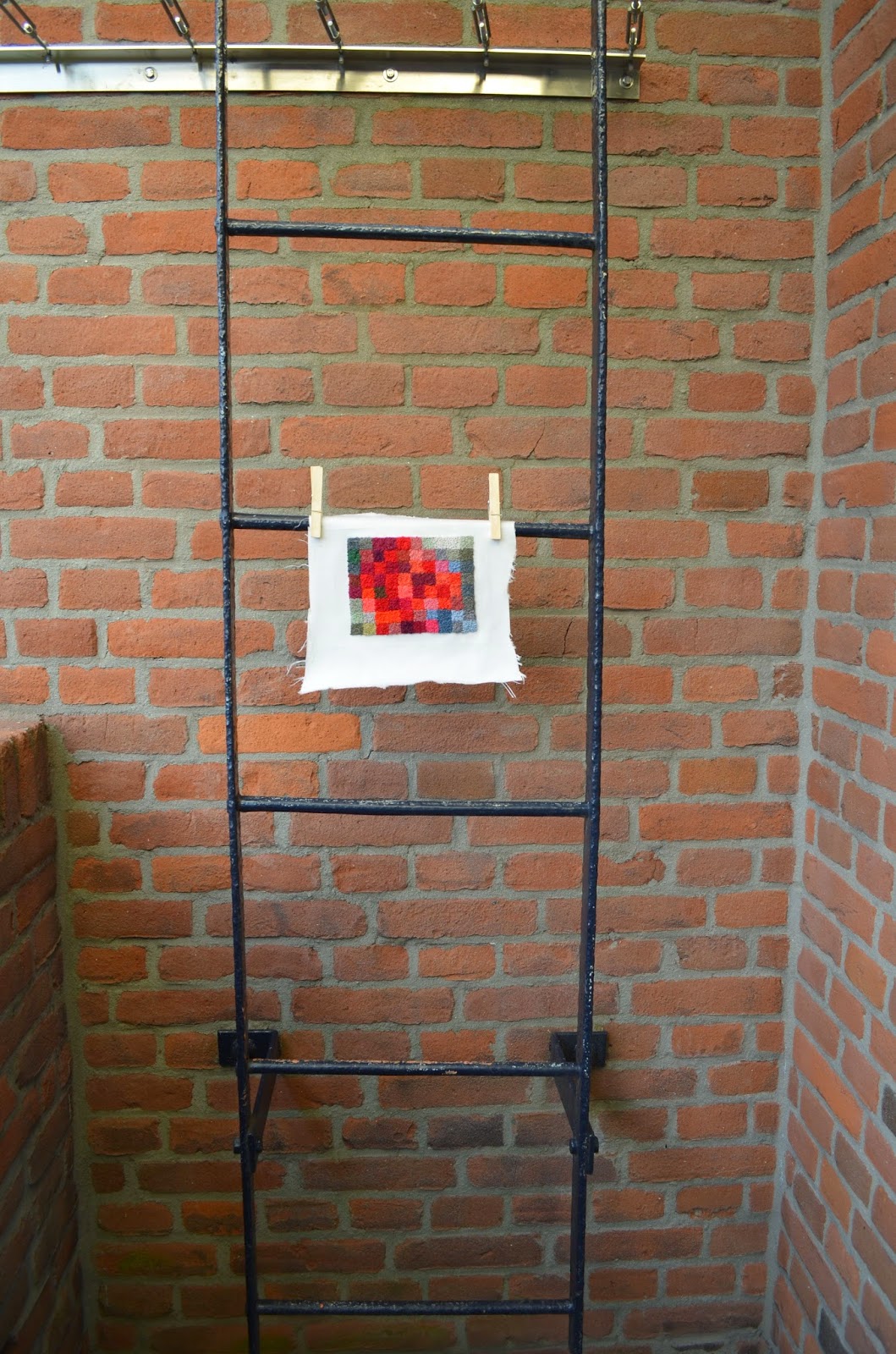
I've been working on this project on and off in the last month or two.  I think there are at least 5000 French Knots in this project, probably more but I didn't really keep count.

The idea for this piece came from a brief for the 2014 Hand & Lock Embroidery Prize. It had a theme I really liked 'Floral: pattern & geometry'. Obviously I wasn't going to enter the competition but I did feel inspired to do my own Floral/Geometry Embroidery experiment.

I started by pixelating a photo of a rose (I will post a tutorial on how to pixelate a photo later this week) I made the pixels quite large, so when you see the piece close up you probably won't recognise it as a rose. But when you see it from a distance it starts to look more like a rose. At least I think so...


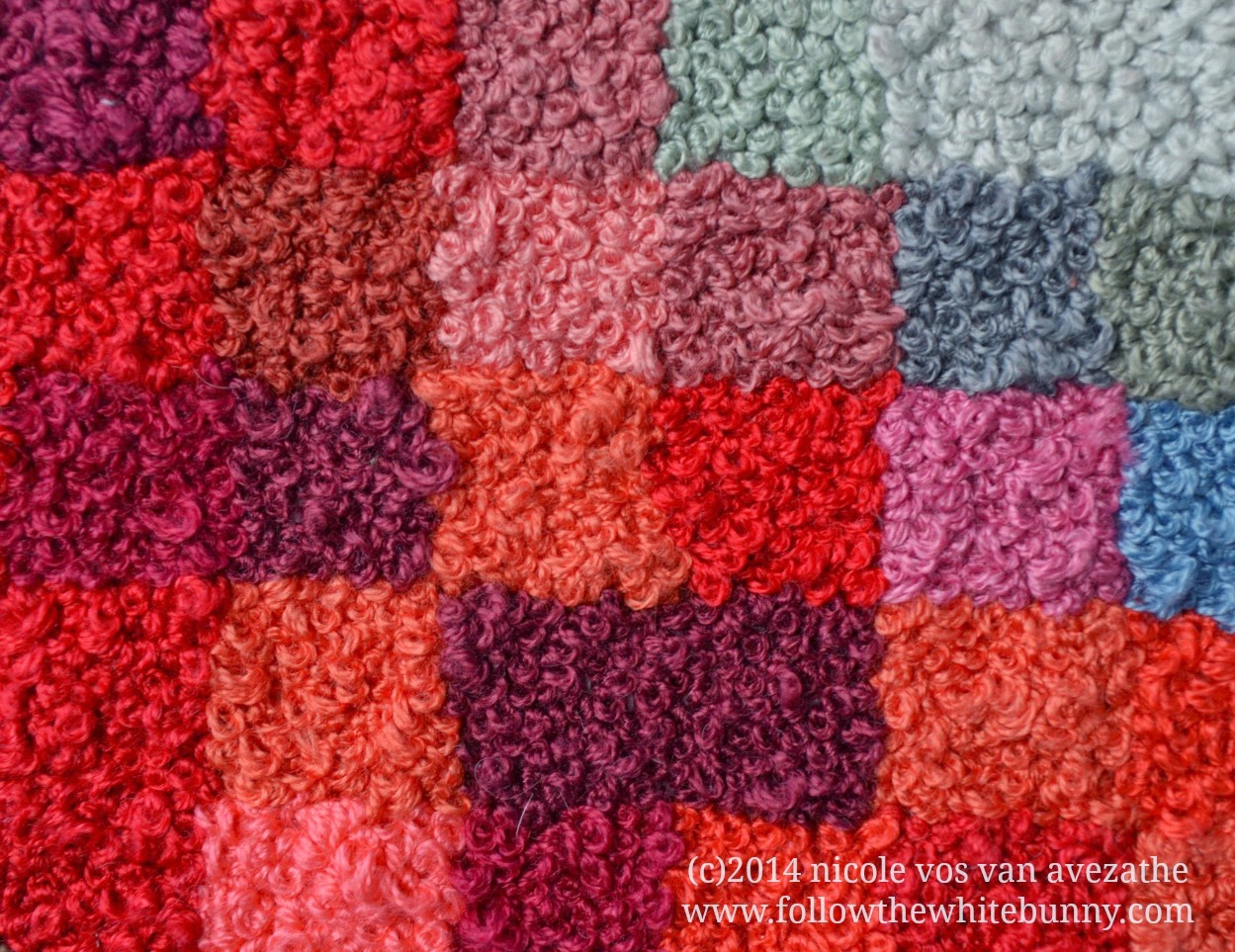
The image was ten by eight squares after I pixelated it (so 80 squares to fill in total). I then simple drew a grid onto fabric with a regular grey pencil and a ruler and made the squares 1" each. That was the idea anyway, some squares were slightly smaller, others slightly bigger. Up till that moment I didn't know how I was going to fill the squares but I quickly decided on French Knots. I liked the idea of filling the straight lined grid with soft round shapes, adding an almost organic feel to the pixelated piece.


I mostly used 3-4 strands of floss and about 35 different colours (or shades). Lots of pinks (including a not particularly pleasant colour I would call 'dusty liver') purples and reds of course and shades of grey and green too. At first I tried to match the floss exactly to the colour on the pixelated picture but that didn't really work out very well, there were just not enough floss colours available to make exact matches. And there were instances where I thought I'd found the perfect colour but when I started stitching it turned out much lighter/darker/duller than expected. So I just tried to get the colour about right and paid more attention to comparing the value of the colours (light, medium, dark) right next to the square I was about to fill.

I think it all worked out quite well in the end. And to think I had such hard time mastering the French Knot when I first started with embroidery years ago.... :)